
Mother’s Day Creative Prompt: Show You Care With STEAM

You know what moms love? STEAM* skills! Why? Because they know that tech skills alone don’t spur big ideas--creative visions do. This Mother’s Day, show Mom and any of the maternal figures in your life that you care in a whole new way, by getting a little help from your creative companion with a heart of {code}. We’ve got some ideas to get you and Evo started. These activities span Evo’s two ways to code: online with the OzoBlockly editor and screen-free with markers and Color Codes.
*STEAM = science, technology, engineering, art, and math
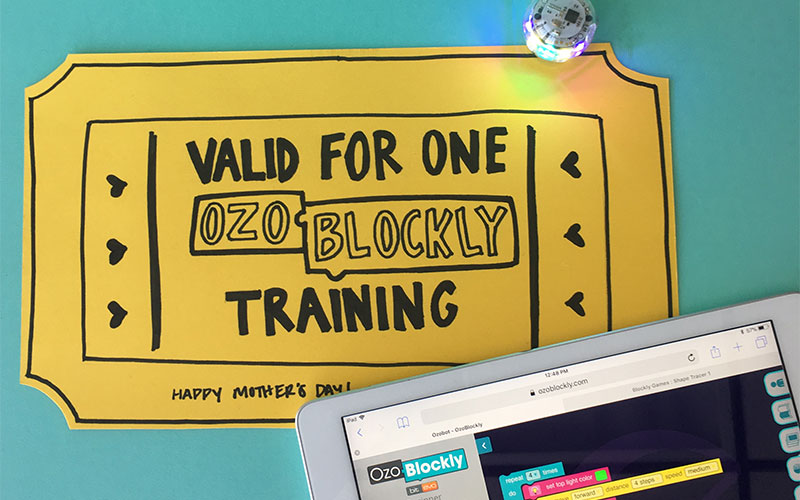 It’s time for you to teach her to code. Give Mom one coupon for an OzoBlockly training session, where you can show off your STEAM skills. You don’t even need a bot to teach her the basics; you can start with some of the OzoBlockly Games and a virtual bot.
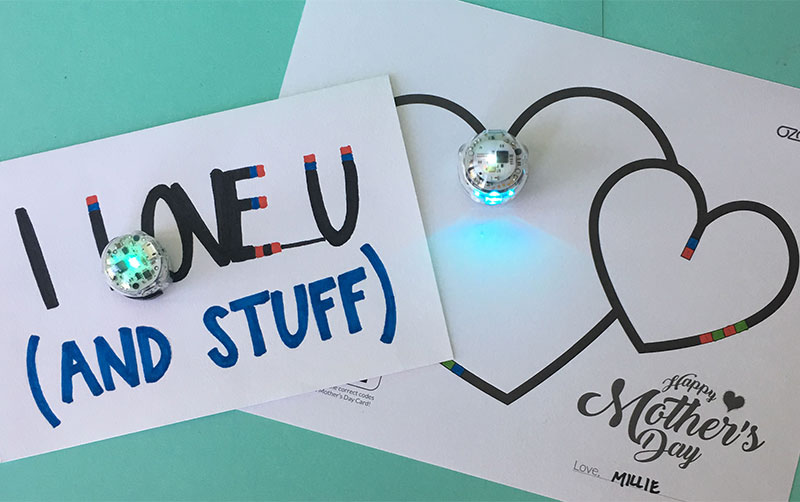 How about a Color Coded card? We’ve all seen musical greeting cards, and their ability to bring a smile to anyone’s face. Well, with Evo or Bit you can add some tech to your card in a whole new way! Draw a card for Mom, then just add Color Codes and your bot will bring the card to life.
Break It Down with OzoBlockly
You’ll need:- 1 Evo robot (Bit will work too!)
- A computer or tablet with internet access
- OzoBlockly – access it at ozoblockly.com/editor
- Connect to Evo. Open the app on a smart device, and connect to your Evo.
- Open OzoBlockly. On a computer or tablet, navigate to ozoblockly.com/editor. Close any pop-ups.
- Select your bot. At the top of the left sidebar, select Evo.
- Set your Mode. Modes refer to different skill levels of OzoBlockly. Mode 1 is for pre-readers; Mode 4 is advanced. For this activity, select Mode 2.
- Sign in. Click on the Profile icon, at the top of the right sidebar. Use the same username and password you use to sign into the Evo app.
- Open Dance Lesson program. Once you sign in, you should see six sample programs. Select the one called Dance Lesson, then select Open.
- Open OzoBlockly. On a computer or tablet, navigate to ozoblockly.com/editor. Close any pop-ups.
- Select your bot. At the top of the left sidebar, select Bit or Evo.
- Set your Mode. Modes refer to different skill levels of OzoBlockly. Mode 1 is for pre-readers; Mode 4 is advanced. For this activity, select Mode 2.
- Go to Examples. Find the tabs along the right sidebar and select the Examples tab.
- Open Dance Lesson program. Now, you should see a list of example programs for OzoBlockly Mode 2. Select the one called Dance Lesson and select ‘Load Program.’
- Save the program. In the right sidebar Profile section, select one of the empty program slots after Color Match. Then, select Save. We named our new and improved program Mother’s Day Dance.
- Open the app. Make sure you’re still connected to your Evo. Then, tap Play and OzoBlockly. You should see the same programs you have in your editor, including your new Mother’s Day Dance program.
- Watch Evo dance! Tap the program, and Evo will dance it out.
- Open flash loading. Select the lightning bolt icon at the bottom of the left sidebar.
- Load. Follow the directions on screen to calibrate and flash load your bot, just by holding it up to the screen.
- Watch your bot dance! After loading, simply double click your bot’s power button to run the program.
Make a Mother's Day Card
You’ll need:- Paper
- Markers or paint
- Scissors
- Tape
- Optional (if using Color Codes): 1 Evo or Bit robot, Color Code PDF
#1: OzoBlockly Coupon
It’s time for you to teach her to code. Give Mom one coupon for an OzoBlockly training session, where you can show off your STEAM skills. You don’t even need a bot to teach her the basics; you can start with some of the OzoBlockly Games and a virtual bot.
#2: Color Coded Card
How about a Color Coded card? We’ve all seen musical greeting cards, and their ability to bring a smile to anyone’s face. Well, with Evo or Bit you can add some tech to your card in a whole new way! Draw a card for Mom, then just add Color Codes and your bot will bring the card to life.